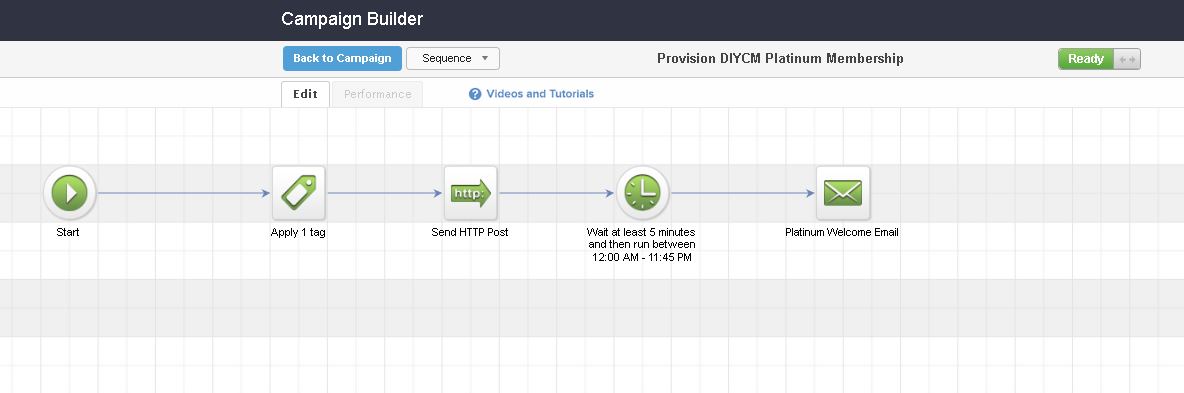
When the new member makes a purchase then Keap can trigger a campaign sequence that creates the new member login on the iMember360 membership site using their contact details (name and email).
This is achieved by adding a HTTP Post action to the campaign sequence that is activated on a purchase.
Membership Campaign Sequence
The campaign sequence will:
- add the appropriate membership tag
- send the HTTP Post to the membership site
- wait a few minutes
- send the welcome email with the member login and password
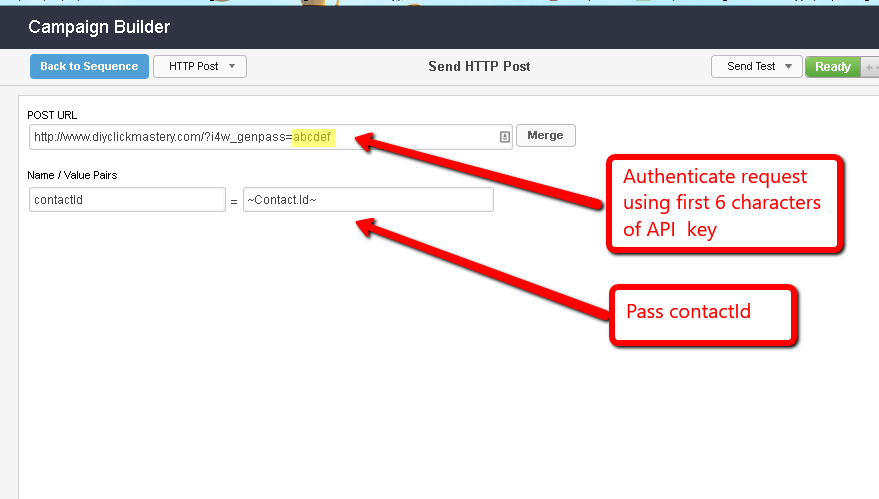
Member Creation Using A HTTP Post
The HTTP Post, http://www.yoursite.com/?i4w_genpass=abcdef where abcdef stands for the first six characters of your Keap API key. This information is used to authenticate the request. Also passed is the contact ID of the new member.
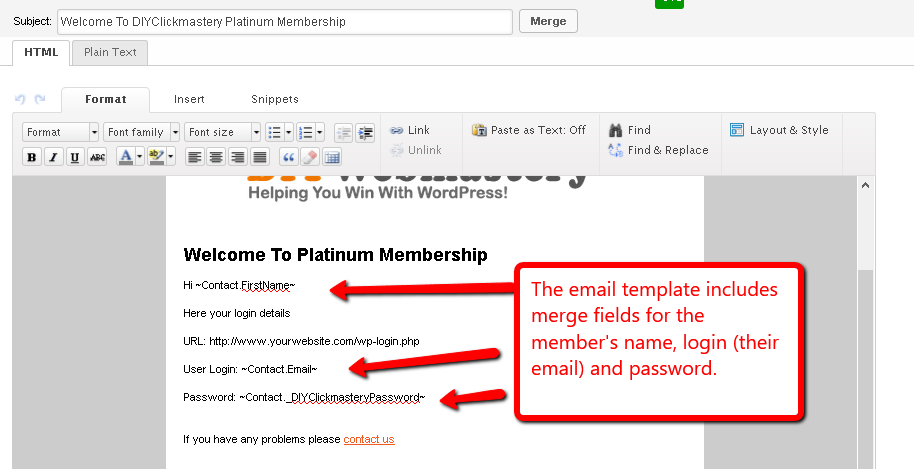
Membership Welcome Email
The final step in the automatic campaign sequence is to send the member a welcome email with the site URL, user login and password.